AI Photo to Painting for Beginners: A Simple Guide
Have you ever looked at a favorite photo—a beautiful sunset, a candid smile, or a beloved pet—and wished you could capture its essence in a painting? For most of us, the idea of picking up a brush and canvas is intimidating. But what if you could create a stunning work of art from your photos in just a few clicks, with no artistic skill required?
Step into the exciting world of AI photo-to-painting conversion! This revolutionary technology is democratizing art creation, opening up a universe of artistic possibilities to everyone – yes, even if you've never picked up a brush before. This simple guide will walk you through everything you need to know, from understanding how it works to creating your very first masterpiece. We’ll be using tools like Phototopainting.ai as our example, showing you just how easy and fun it can be.
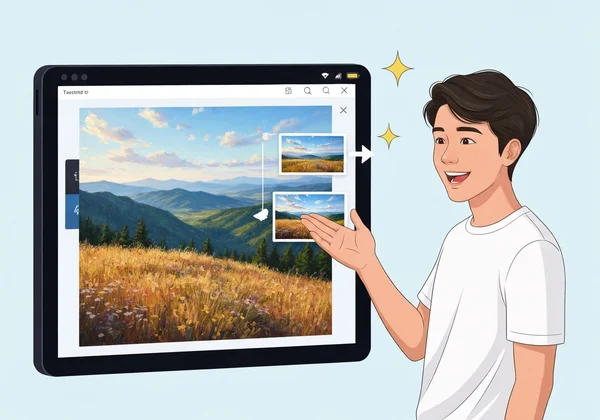
Getting Started: Understanding AI Photo-to-Art Conversion
Before you create your first piece, it helps to understand the magic happening behind the scenes. Don't worry, we'll keep it simple. The goal is to demystify the process so you can feel confident and excited to start creating.
What is AI Photo-to-Painting and How Does it Work?
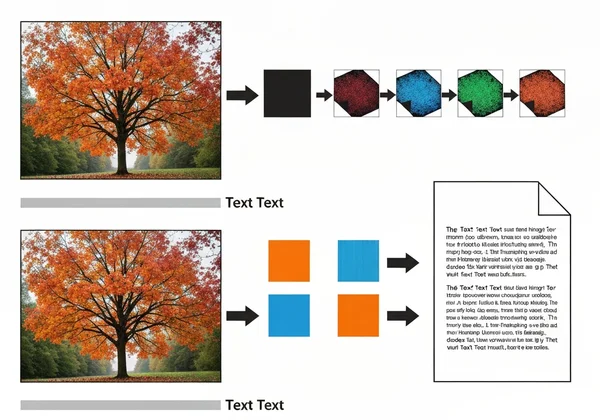
At its core, an AI photo-to-painting tool is a smart program that has been trained by looking at thousands of real paintings. It learns the characteristics of different art styles—like the thick, bold brushstrokes of oil painting, the soft, blended colors of watercolor, or the sharp lines of a pencil sketch.
When you upload your photo, the AI first analyzes key features like colors, shapes, and lighting. Then, it redraws your image using the artistic rules of your chosen style. The result is a completely new piece of art.
Why AI Art Conversion is Perfect for Beginners
If you've ever felt that art was out of reach, AI art generators are here to change your mind. They are the perfect starting point for anyone new to creative expression for several key reasons:
- No Skills Needed: You don’t need to know how to draw, paint, or understand color theory. The AI handles all the technical work, so you can focus on the fun part: bringing your vision to life.
- Instant Gratification: Traditional painting takes hours, days, or even weeks. An AI can transform your photo in seconds, allowing you to experiment and see results almost instantly.
- Endless Experimentation: Not sure if your photo would look better as a Van Gogh-inspired masterpiece or a modern cartoon? With AI, you can try dozens of styles without any cost or effort. This freedom to explore helps you discover your own artistic taste.
- Cost-Effective Creativity: Hiring an artist to paint a custom portrait can be expensive. AI tools offer a free or low-cost way to create personalized art, making it accessible to everyone.
Your First Masterpiece: A Step-by-Step AI Painting Tutorial
Ready to see it in action? Creating your own AI painting is incredibly straightforward. Let's walk through the process together using the simple interface of an online AI painting generator.
Uploading Your Photo: Choosing the Right Image
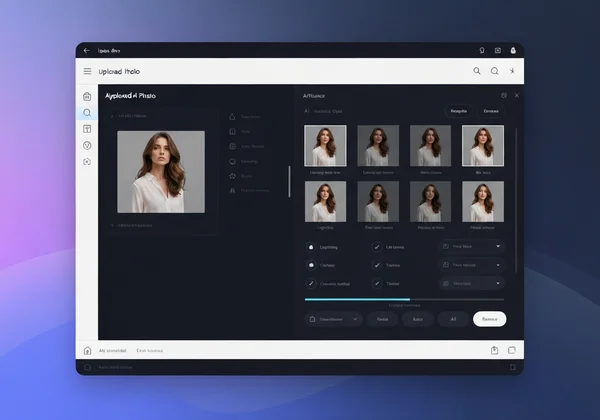
The first step is always the easiest: getting your photo into the system. Most online tools, including Phototopainting.ai, feature a simple "Upload Photo" button. You can click it to browse your device or simply drag and drop your image file onto the webpage.
For the best results, choose a photo with a clear subject and good lighting. Well-lit portraits, colorful landscapes, or sharp pet photos give the AI more information to work with, resulting in more detailed and beautiful paintings.
Exploring Style Options: Finding Your Artistic Vision
This is where the real fun begins. Once your photo is uploaded, you’ll see a gallery of artistic styles to choose from. This is your chance to be the art director.
Do you envision your photo as a…
- Classic Oil Painting? Perfect for creating timeless portraits with rich texture.
- Delicate Watercolor? Ideal for soft landscapes and dreamy scenes.
- Sharp Pencil Sketch? A great choice for adding a dramatic, hand-drawn feel.
- Vibrant Cartoon? Instantly turn your pet or friend into a fun, animated character.
- Masterpiece by Van Gogh or Monet? Apply the iconic brushstrokes of the masters to your own pictures.
Feel free to click through different options. Each style will give your photo a completely different mood and personality. There's no right or wrong choice, so have fun exploring!
Fine-Tuning Your Artwork: Simple Adjustments
After the AI works its magic, you'll see your newly created painting. Most tools provide a handy slider that allows you to compare the finished artwork with your original photo. This is a fantastic way to appreciate the transformation.
While many tools keep it simple, this comparison is your chance to "fine-tune" your creation. If you're not completely happy with the result, simply go back and select a different style. Sometimes, a photo that doesn't work as an oil painting looks absolutely stunning as a watercolor. The key is to experiment until you find the perfect match.
Downloading Your New AI Painting
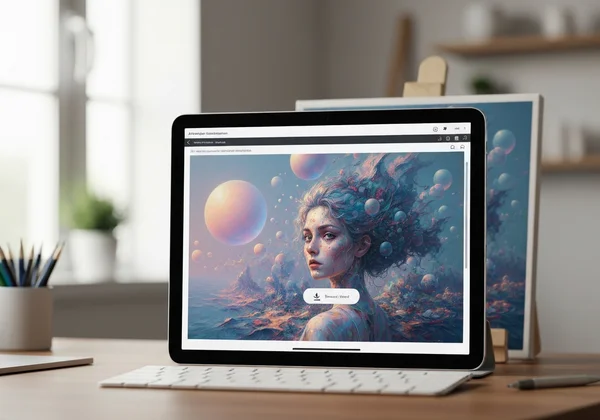
Once you’ve created an image you love, the final step is to save it. Look for a "Download" button. This will save the high-quality image file directly to your computer or phone.
And just like that, you have a unique piece of art! You can share it on social media, set it as your wallpaper, or even get it printed to hang on your wall or give as a thoughtful, personalized gift. Ready to create your masterpiece?
Pro Tips for Stunning Results & Common Troubleshooting
As you get more comfortable with the process, you can use a few simple tricks to get even better results. Here are some pro tips and solutions to common issues that beginners might face.
Choosing High-Quality Source Photos for AI Painting
The quality of your input directly affects the quality of your output. While AI can do amazing things, it works best with good material. For truly stunning results, try to use photos that are:
- High-Resolution: A larger, clearer image gives the AI more detail to analyze.
- Well-Lit: Photos with good lighting and clear contrast between light and shadow tend to produce more dynamic paintings.
- In Focus: Ensure your main subject is sharp and not blurry. The AI will better capture the details of a focused subject.
What If Your AI Painting Doesn't Look Quite Right?
Sometimes, the first attempt might not be exactly what you envisioned. Don't be discouraged! Art is a process of discovery. If you're not happy with the result, here are a few things to try:
- Try a Different Style: The most common reason for a disappointing result is a style mismatch. A busy, detailed photo might not work well with a simple sketch style but could look incredible as an impressionist painting.
- Crop Your Photo: If your photo has a distracting background, try cropping it to focus only on the main subject before uploading.
- Use a Different Photo: Some images are simply better suited for artistic conversion than others. Try another picture with different colors or composition.
Ensuring Your Photo Privacy and Security with Online Tools
It's completely normal to be concerned about uploading your personal photos online. Trustworthiness is key. Reputable tools prioritize your privacy.
For example, Phototopainting.ai is built on a foundation of user trust. The platform makes it clear that your photos are handled securely. They are used only for the purpose of creating your artwork and are automatically deleted from the servers shortly after processing. Always use services that are transparent about their privacy policies.
Start Your Artistic Journey Today with AI Photo-to-Painting
You no longer need years of training or expensive supplies to transform your memories into art. With AI photo-to-painting generators, creativity is more accessible, immediate, and fun than ever before. You've seen how simple the process is: upload a photo, choose a style, and download your unique creation.
The barrier between you and your inner artist has been removed. All that's left is for you to take that first step.
Ready to unleash your inner artist? Visit Phototopainting.ai today and transform your favorite memories into breathtaking paintings – completely free!
Frequently Asked Questions About AI Photo to Painting for Beginners
How to make a photo look like a painting with AI?
Making a photo look like a painting with AI is a simple three-step process. First, upload your chosen photo to an AI art generator. Second, select an artistic style from a gallery, like oil, watercolor, or sketch. Finally, let the AI process the image and then download your new artwork.
Can I turn my photos into paintings online for free?
Yes, absolutely! Many online platforms, including Phototopainting.ai, offer free trials or free versions of their tools. This allows you to experiment with different photos and styles without any financial commitment. It's a risk-free way to explore your creativity.
Is it difficult to use AI to convert photos into art?
No, it's not difficult at all. These tools are designed specifically for beginners and people with no technical background. The user interfaces are typically very intuitive. You can often get from your original photo to a finished painting in just a few clicks.
Do I need artistic skills to use a photo to painting AI generator?
You do not need any artistic skills whatsoever. The AI handles all the complex parts of the artistic process, from applying brushstrokes to blending colors. Your only job is to provide the photo and choose a style you like. It's a perfect tool for anyone who wants to create art without the steep learning curve.
What types of photos work best for AI painting conversion?
While you can use any photo, certain types tend to produce the most impressive results. Clear portraits with good lighting, vibrant landscapes, and well-defined pictures of pets or objects are excellent choices. Essentially, any photo with a clear focal point and good detail will give the AI a strong foundation to build upon.